The Why of Lisa G U I
This is a story I've summarized before in a few places; I feel it's important enough to be formalized in blog post form. Let's jump back to the beginning of 2023.
I had been trying to think of a good project to add to my programming portfolio, which was lacking. Finding an idea I was willing and able to execute on proved harder than expected. Good ideas are born from necessity and enthusiasm; trying to create a project for its own sake tends to be an uphill battle. I was also hoping to think of a specific project idea that hasn't really been tried before. As you may have guessed by the title of this post, LisaGUI ended up being that project, although I didn't really set out to make it as much as I stumbled into it while trying to accomplish something else.
Vintage computing has been a hobby of mine since my early teens. I've also been fascinated by graphical user interfaces and their long and storied history. As a byproduct of this and my interests in art and graphic design, over the years I've created a small collection of wallpapers, icons, and other media relating to vintage computing and GUIs (Apple in particular). In early 2023, I decided it was finally worth making a page where I could showcase these things and allow people to download them. I had published some of my icons elsewhere on the internet, but I wanted a recognizable way to identify myself as the author of my works. Image files on the internet have a tendency of getting distributed without credit so widely it becomes impossible to track down the original authors. More importantly, I thought back to the many handcrafted homepages and downloads pages I used to visit in the mid-2000s, when I was discovering my interest in old computers, and I realized I wanted to provide a similar experience of my own.
The sites I found most memorable were ones which mimicked the appearance of the Macintosh UI, like myoldmac.net, or featured a wide variety of authentic visual assets, like The Vintage Mac Museum. I've linked to a few sites like this on LisaGUI's links page. The quantity and popularity of GUI-themed sites seemed to increase into the 2010s, especially with the arrival of viral sites like Windows 93. Now, in the mid-2020s, there are entire directories of web-desktop sites as well as whole CSS frameworks like 98.css which people can readily bring into their existing sites.
Thus, I decided this would be the perfect format for my own page. I had some design goals in mind:
- A polished experience with more interactivity than a simple list of links.
- A site with an authentic feel, pixel-perfect to the UI I was trying to recreate.
- No external libraries. Part of this is ego-driven, but I also wanted to avoid bloat and reliance on dependencies. The string of recent vulnerabilities on NPM aren't making me regret my decision.
- A consistent experience across browsers. Websites should NEVER require the use of a specific browser. This evil practice originated during the first browser war and flies in the face of the principles which make the web so valuable to humanity. I thought it was abandoned in the mid-2000s, but it's slowly making a comeback. When hand coding sites I always test in the latest desktop and mobile versions of Firefox, Chrome, and Safari, at the very least.
On April fools day 2023, I started work on the initial prototype of what would eventually become LisaGUI. Unlike LisaGUI's current incarnation, no JavaScript was involved; the whole prototype was CSS-styled HTML elements. The images are SVG files, so they always appear sharp regardless of scale. (Technically I could have gotten away with the CSS "image-rendering" property, which tells the browser to scale raster images using a nearest-neighbor algorithm, but frankly, I wasn't aware it existed at the time.)
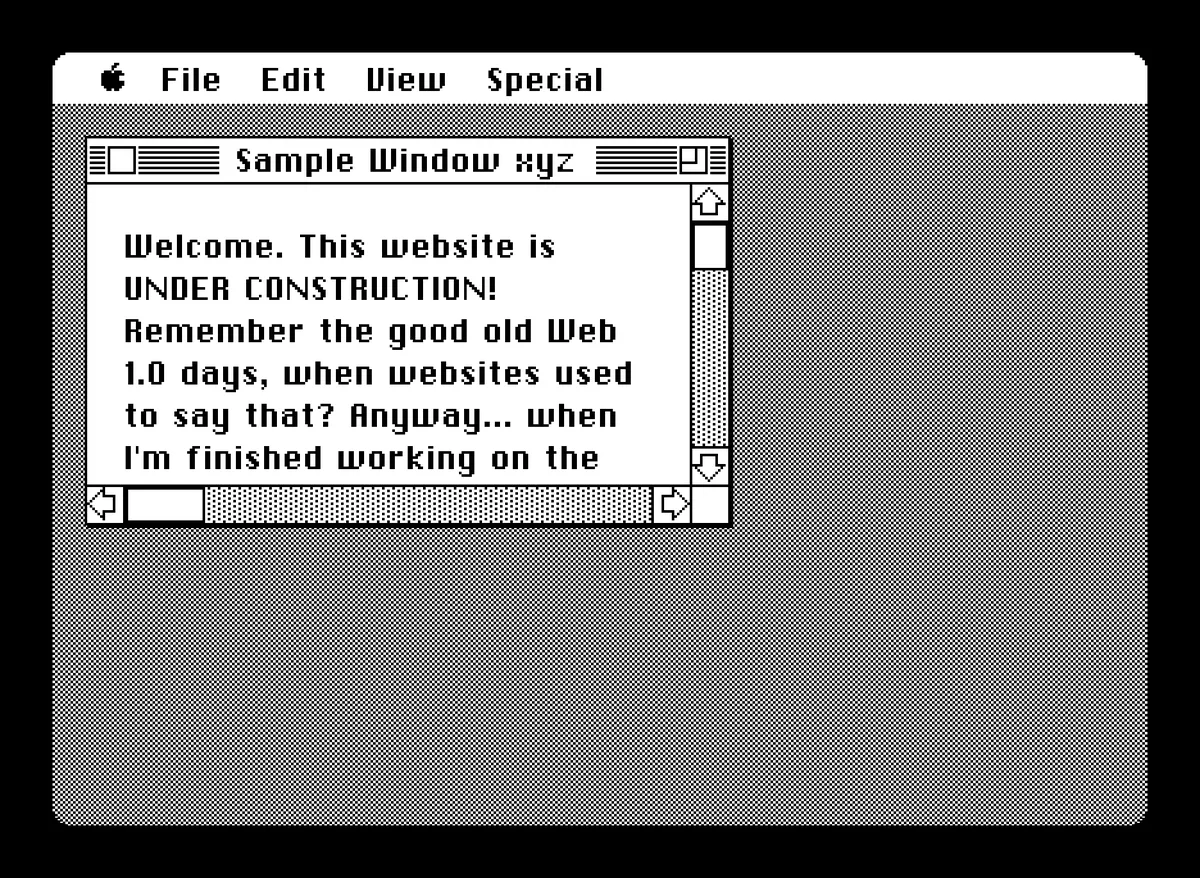
Relying on CSS isn't always a good idea. Sometimes, CSS properties have widely varying levels of support across browsers. Scrollbar customization is a fantastic example of this... WebKit-derived browsers support near-full customization of every component of each scrollbar, but Firefox doesn't let you do much more than change the track and thumb colors. And naturally, none of it matters on mobile.
Shortly after I threw this together, I concluded making a site specifically based on the Macintosh was a bit played out. Not only has it been done before, but multiple Mac emulators have been ported to JavaScript, meaning you can run the original operating systems within your browser right now! I decided to pivot to mimicking the Lisa, the Mac's older sibling. Some history about the Lisa can be found here. The topic of the Lisa was on my mind given its 40th anniversary had occurred just a couple months prior. I had never seen a website based on the Lisa's UI before, so it would be a fairly unique idea. And LisaEm was a long way off from being ported to JS, so the task seemed much less futile.
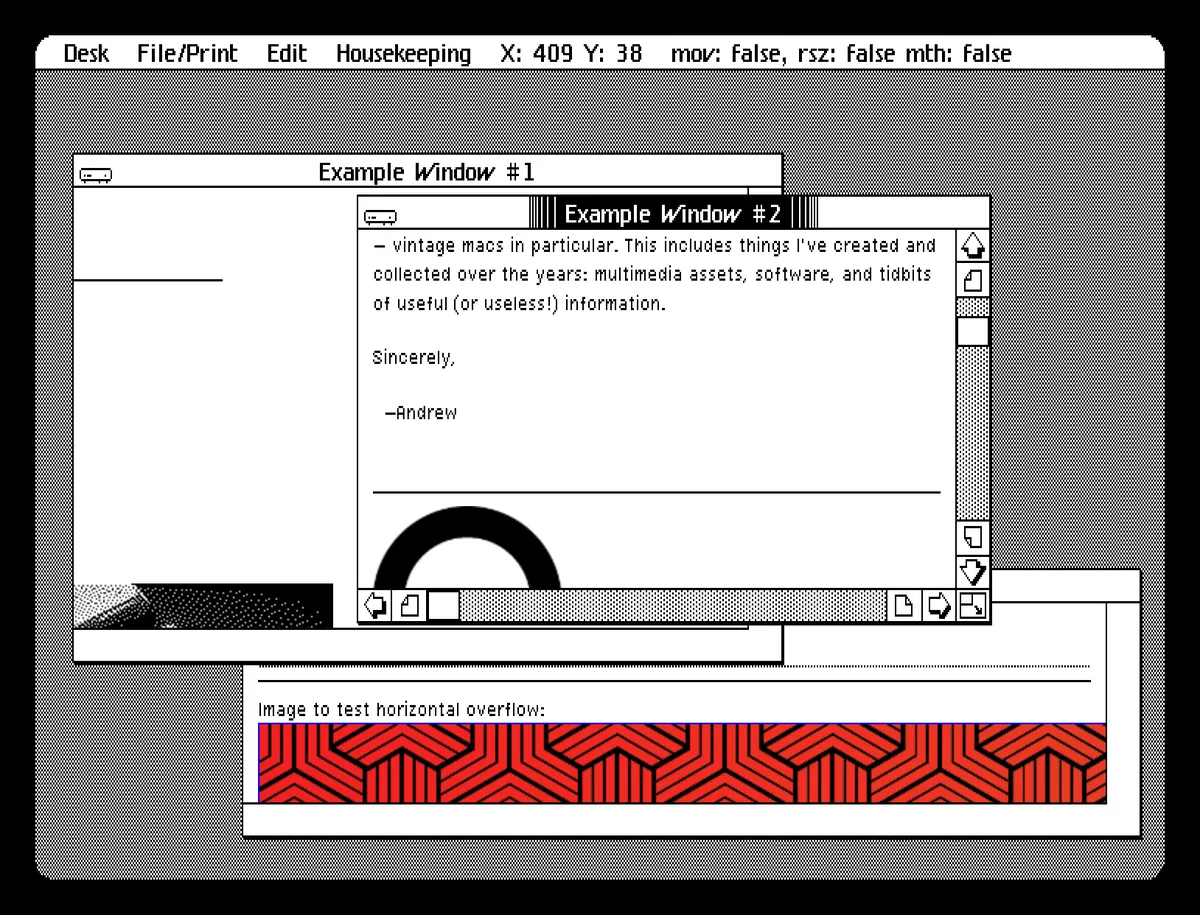
And so, my second prototype takes after the look of the Lisa's operating system, also known as the "Lisa Office System" (or "LOS"). You may notice the 2:3 pixel aspect ratio, which gives it a slightly vertically-stretched appearance. The font has also changed, from ChiKareGo 2 by Giles Booth (a recreation of the Macintosh's original system font) to a TrueType version of the Apple Lisa's System font by Rebecca Bettencourt.
Unlike the first, this prototype makes significant use of JavaScript, although the UI itself is still built from native HTML elements. JS is used to construct window elements and drop-down menu titles, and to manage the order in which windows appear. It's also used when moving, resizing, and scrolling through windows. The scrollbars are not native - they are custom-built out of HTML elements. They work, mostly... this was done so they retain the same appearance across all browsers. A really great writeup on why implementing custom scrollbar functionality is probably not worth the effort can be found here.
Around this time it finally clicked for me that making a Lisa-themed fully-fledged web desktop was actually the project I was looking for, and so I set aside my plans for a downloads page. I did eventually return to it; in a twist of irony I used a heavily polished version of the code from my first, Mac-like prototype to create the page. It's not perfect, but LisaGUI has sufficiently satisfied my ego on that front.
After some work on my second prototype, it became clear I would need to rewrite it. It was a bit poorly planned, and not without a fair amount of spaghetti code. But the issues ran deeper. As I was deconstructing the Lisa's UI, I found there were lots of graphical details I wasn't sure how to recreate using CSS.
For instance, when dragging or resizing a window on the Lisa, an outline is displayed. It's masked by a 1-bit halftone pattern so it always appears black over the default halftone desktop, and it's rendered using an inversion blend mode so it sharply contrasts against any icons or open windows it overlaps. Blending modes are also used when dragging icons - only the black pixels are displayed as the inverse of the pixels below them.
At this point, I was still trying to wrap my head around a lot of these details. Now, if you asked me about any of them, I could probably give a succinct description of how they work, and quite possibly figure out a way to get them to work consistently using CSS. Yet, doing things this way isn't ideal. CSS is highly dependent on how well it's implemented by browser vendors. Once you start combining CSS properties in hacky ways, things get complicated fast. Often what works in one browser breaks down in another. Making things pixel perfect becomes difficult in modern browsers, where it is generally assumed you want to add aliasing (smoothing) to elements.
In order to have more programmatic control over the graphical features of the UI, I designed my third prototype so all logic defining the UI's appearance would be implemented in JavaScript. My plan was to render everything to an HTML canvas element. Relying on the canvas is not abnormal or unheard of, but it is a departure from how most websites and web apps work. I figured if there was a bug, at least it would (most likely) be my fault, and not due to some weird browser issue I'd have to troubleshoot.
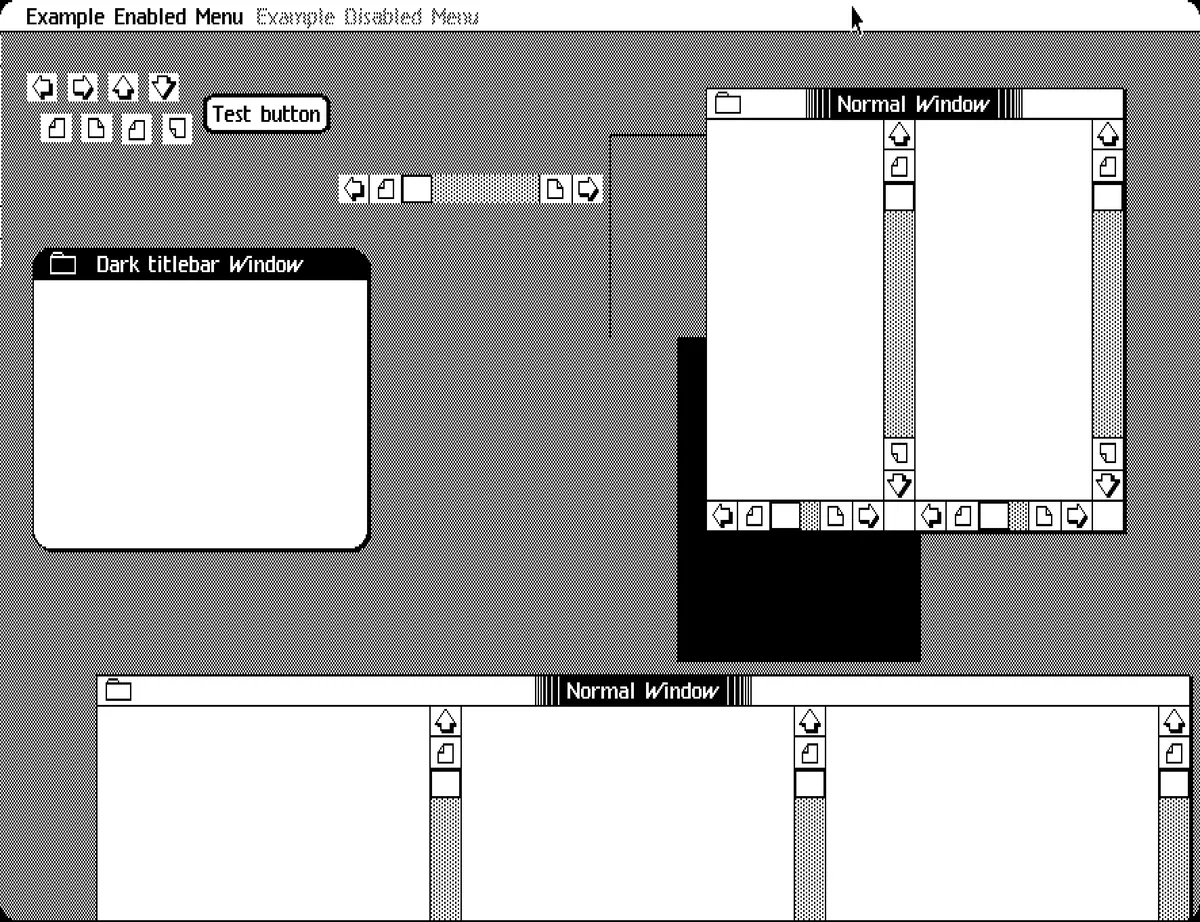
I began by writing a hierarchical node class so I could build a tree of objects independently of the DOM. (In retrospect, I might have been able to save myself a decent chunk of time by extending the "HTMLElement" class for its tree functionality.) I then extended this to an "element" class, which represents an actual object visible on-screen. Its additional properties include dimensional values, coordinates, and (optionally) image data. All the UI components inherit from (and are composed of) this class. The root element of the tree represents the entire screen; all other elements are descendants of it. The graphics code reads from the tree structure and outputs to the canvas.
In my third prototype the code used to render the UI was naive and inefficient, and I had really only built a few UI components. There were a number of bugs in this prototype which I never fixed. I also hadn't figured out an efficient way to resize the canvas, so a temporary overlay element (styled using CSS) is displayed whenever the window is resized. Despite all this I was confident I could move forwards with a canvas-based approach. In late 2023 I began rewriting this prototype; the result is LisaGUI's current codebase. Keep in mind that between this point and now, I still had to complete an enormous amount of work, including:
- Finalizing how to represent and store bitmap image data within the codebase
- Perfecting a layout algorithm to automatically arrange UI elements
- Actually recreating all the Lisa's UI elements
- Creating a custom typesetting system to display fonts and text - I went through two iterations of this. It was necessary so I could implement period accurate algorithmic type styles like the ones used in QuickDraw (the graphics code that powers the Lisa).
- Determining how applications would function and run
- Designing a simple "file system" with implementations running in RAM and on IndexedDB
- Writing the Desktop Manager (the Lisa's File manager application) and the Preferences app
- And much, much more
All of this was a significant amount of work. Every part of this project involved numerous decisions to make, each one incurring a small amount of technical debt. It was an iterative process involving a great deal of experimentation. I think most of the code in this project was rewritten at least once. Many of these systems are things I hadn't tried writing before. Sometimes, I started just by writing something to see if it would work well. LisaGUI was, above all else, a learning experience.
Throughout this time, I was really paranoid someone with more experience and skill than myself would come along, implement my idea, and steal my thunder. So I kept the project completely under wraps, telling only a few close friends and family members about it. Right now, I'm just happy I was able to push through it all. I think the result was well worth the effort. All of the positive feedback I've received has been really incredible. Every time I repeat this it feels a bit kitschy, but I can promise you my gratitude is sincere.
In the coming weeks and months, I plan to write a series of blog posts describing the inner workings of some of the systems I've mentioned here. I won't yet be open-sourcing the code - this project is still very much my baby. What I will be doing is describing the software design of each of these systems, with explanations of how they work at both high and low levels. I'll do my best to explain the rationale behind the choices I made, although by no means will I be putting LisaGUI up on a pedestal as some ideal or exemplary example of a project like this. All I really did was make the best decisions I could using the knowledge and experience I had at the time.
Lastly, you may have noticed there haven't been many significant updates to LisaGUI over the past couple of months. I needed a bit of a break due to burnout and my own job-search endeavors. I hope to get back to working on it soon...