On elevating my laptop with rubber bumpers
Not too long ago I saw a post by Kent Walters via Hacker News where, after finding himself disgruntled with the ergonomics of his MacBook Pro, he literally filed down the front edge below the palm rests. You might find the result delightful or horrifying depending on your own tastes. I know I felt both! Anyway, it inspired me to post about a less permanent modification I made to my new MacBook Air.
See, one nice thing about the current form factor of Apple’s laptops is they have more pronounced rubber feet. They provide a bit more clearance under the laptop, a much needed (albeit small) improvement over the thin rubber domes Apple was using on MacBooks since the mid-2000s. But what’s great about them is they’re flat, which means if you want more elevation you can stick some rubber bumpers or pads onto them to raise your laptop even higher off the table.
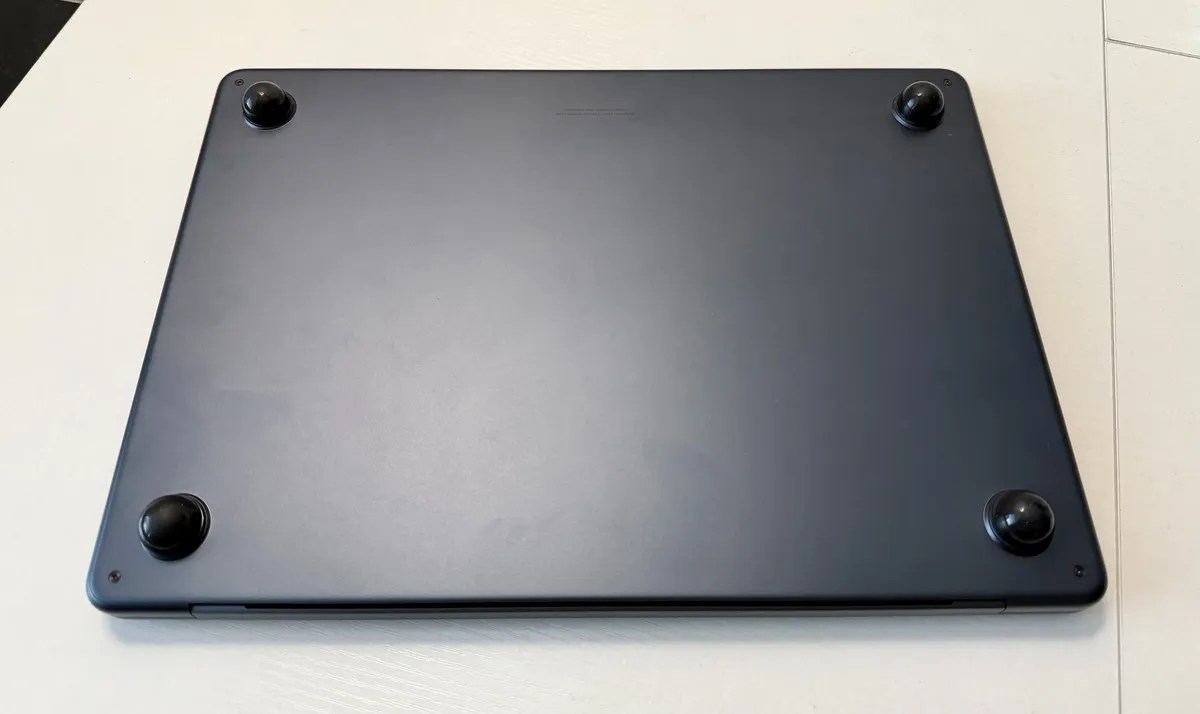
I did this. I measured the diameter of the rubber feet (a bit below .7 inches) and went onto Amazon and bought some hemispheric bumper pads (EDIT: these have much better adhesive) to place on the feet of my Air. They aren’t a perfect fit, but they are more than acceptable for my purposes. They raise the laptop by about .4 inches.
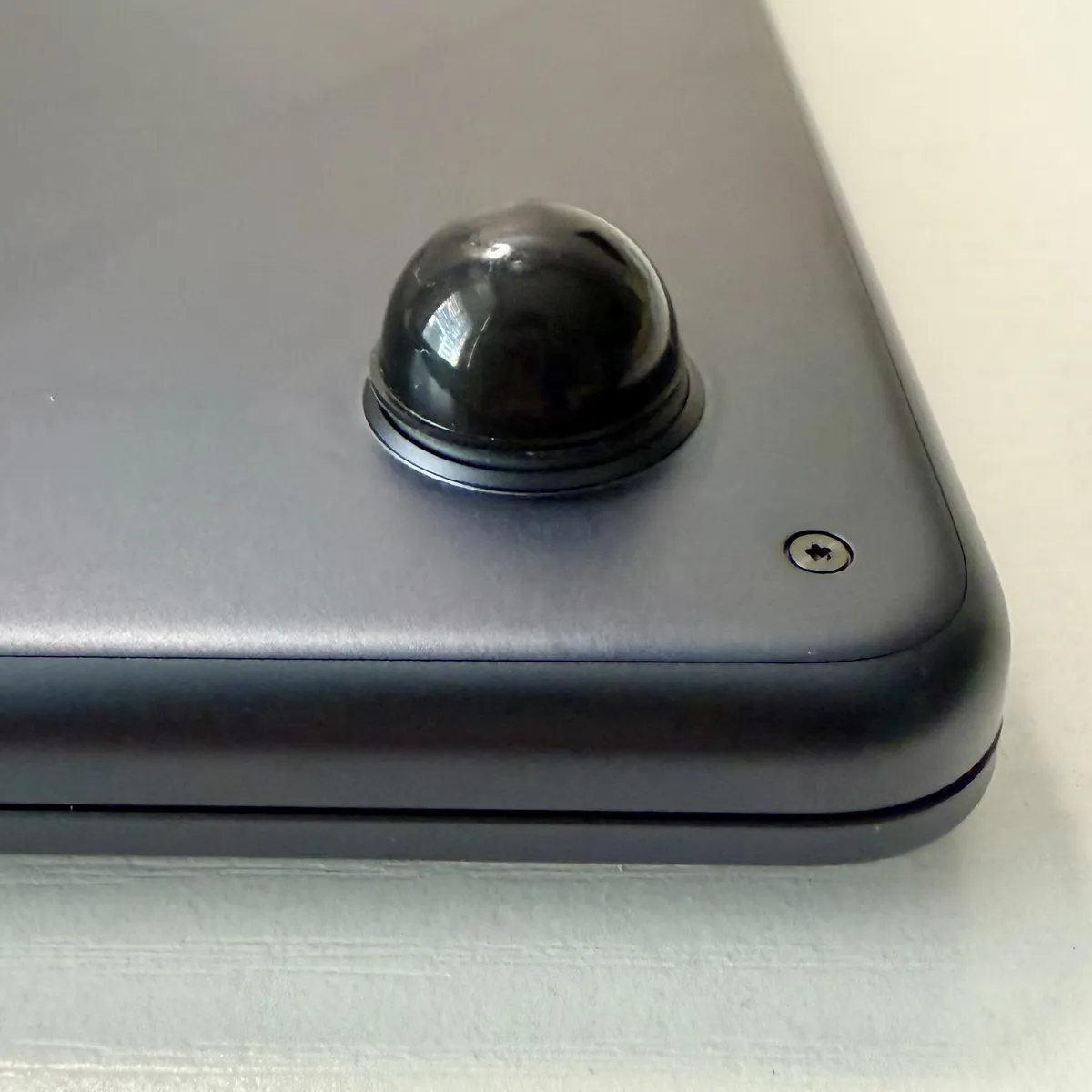
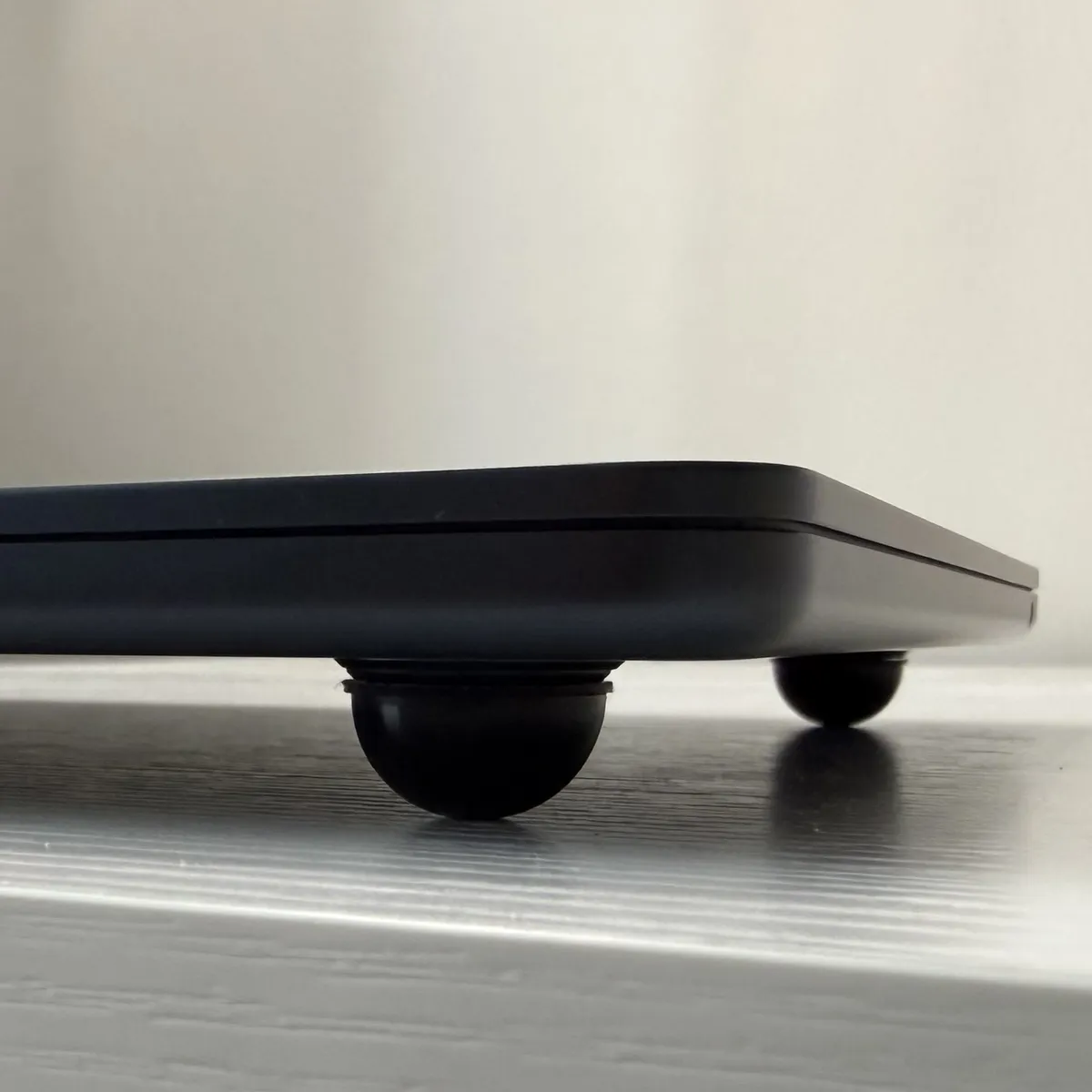
I love the result. Yes, it looks a bit weird from certain angles, but the extra clearance provides room for the laptop to rotate slightly as you’re setting it down onto a table. You no longer have to go through the usual song and dance of carefully keeping the laptop parallel with the table to avoid scratching it as you put it down. It also lets you move your fingers underneath the laptop as you pick it up, which makes it more comfortable to lift with one hand.
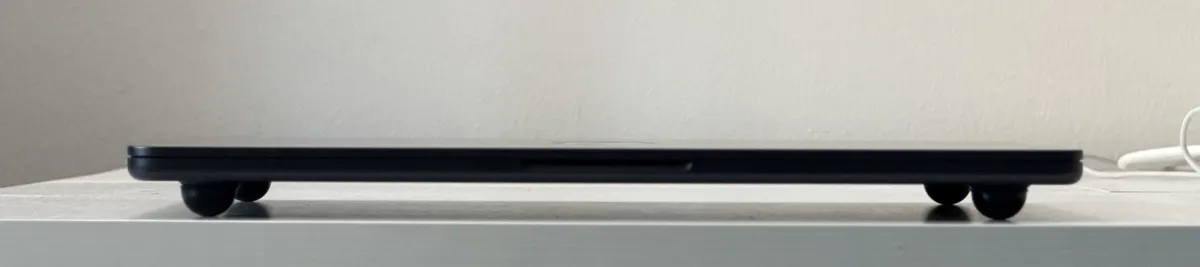
This is by far a better solution than getting one of those hard shell cases. While they provide protection from scratches and scuffs, they have the side effect of covering up the aluminum body of the laptop, trapping much of the excess heat the aluminum would normally conduct and disperse back into the environment. Conversely, my solution increases airflow to the laptop. This is doubly important on a fanless design like the Air where excess heat will cause the processor to throttle down.
Yes, you’re missing the protection of a normal case, but do you actually need it? In my experience, it’s only necessary when transferring a laptop to and from your laptop bag and a table. The biggest danger is damaging it as you’re setting it down or picking it up.
So far, it hasn’t bothered me while typing; it just feels like typing on a thicker laptop. The only real downside is the extra clearance seems to interfere with the Air’s sound quality. Apple, in tuning the speakers, assumed they would be placed a specific height above a flat surface, and this slightly disrupts that. It’s not a big deal to me, as I normally use headphones or earbuds when listening to music on my laptop. More importantly, it’s still less invasive in that regard than covering the entire bottom with a piece of plastic.